Local-first calculation workspace

Think it through.
Watch the numbers move.

Continuum turns rough notes into living calculations, composed previews, and visual models—without asking you to build a spreadsheet first.

No accountLocal documentsVisual canvasesStart with plain text
Product previewA look inside Continuum
Continuum workspace

A living monthly plan

Readable assumptions. Immediate consequences.

Calculation source
# Monthly plan
income = 5200 in usd
rent = 1650 in usd
groceries = 620 in usd
flexible_spend = 12% of income
remaining = income - rent - groceries - flexible_spend
Live results
  1. 2$5,200.00
  2. 3$1,650.00
  3. 4$620.00
  4. 5624
  5. 6$2,306.00
Local-firstPlain textReal evaluator

The useful kind of simple

Write the thought.
Keep the model.

Variables stay readable. Consequences stay attached. When one assumption changes, everything downstream can answer back.

01

Write naturally

Mix named assumptions, percentages, rates, currencies, and ordinary expressions in one calm document.

remaining = income - expenses
02

See every result

The result rail keeps each consequence aligned with the line that produced it.

→ $2,926.00
03

Follow the impact

Change one root value and Continuum highlights the dependent values that moved with it.

monthly_savings ↑ $240

A real workspace, not a widget

Calculations deserve somewhere to live.

Organize documents and folders, search at keyboard speed, keep reusable assumptions, archive old work, and export a backup when you want one.

  • Autosaved local documents
  • Folders and shared variables
  • Quick search and archive
  • Explicit JSON backup and restore
Monthly planPreview
income = 5200 in usd
rent = 1650 in usd
flexible = 12% of income

remaining = income - rent - flexible
Results
$5,200.00$1,650.00$624.00$2,926.00

Document Composer · local MCP review

Write the model.
Compose the reading.

Built-in templates and MCP-authored compositions now share the same preview components. Your calculations remain ordinary editable Continuum source; a single declarative block chooses how the result is read.

runway-decision.cntmEditable source
cash = 48000
monthly_burn = 6200
runway_months = cash / monthly_burn

preview:
  version: 1
  title: Runway decision
  blocks:
    - kind: metric_strip
    - kind: projection_timeline
    - kind: summary
    - kind: conclusion
Preset library
Metric stripComparison cardsProjection timelineRisk & resilienceReadiness & claritySummaryConclusion
Runway decisionComposed preview
Runway7.7 monthsAt current burn
Cash projection · month 0–8
Summary

Current cash covers 7.7 months at the stated monthly burn.

ConclusionReview the next hiring step

Free: everyday calculations in one scratchpad, plus read-only examples. Pro unlocks Composer, templates and full authoring on web and desktop.

Desktop Pro: local workspace MCP reads and staged proposals require Continuum to be running.

Boundary: no hosted MCP, in-app AI provider, authenticated approval, or unattended write.

Abstract calculation marks becoming tactile metric, chart, summary, and conclusion forms; a visual metaphor, not product UI.
Campaign metaphor · product behavior is demonstrated above with code-native UI.

Canvas · Mermaid · Blueprint

Keep the logic,
not just the answer.

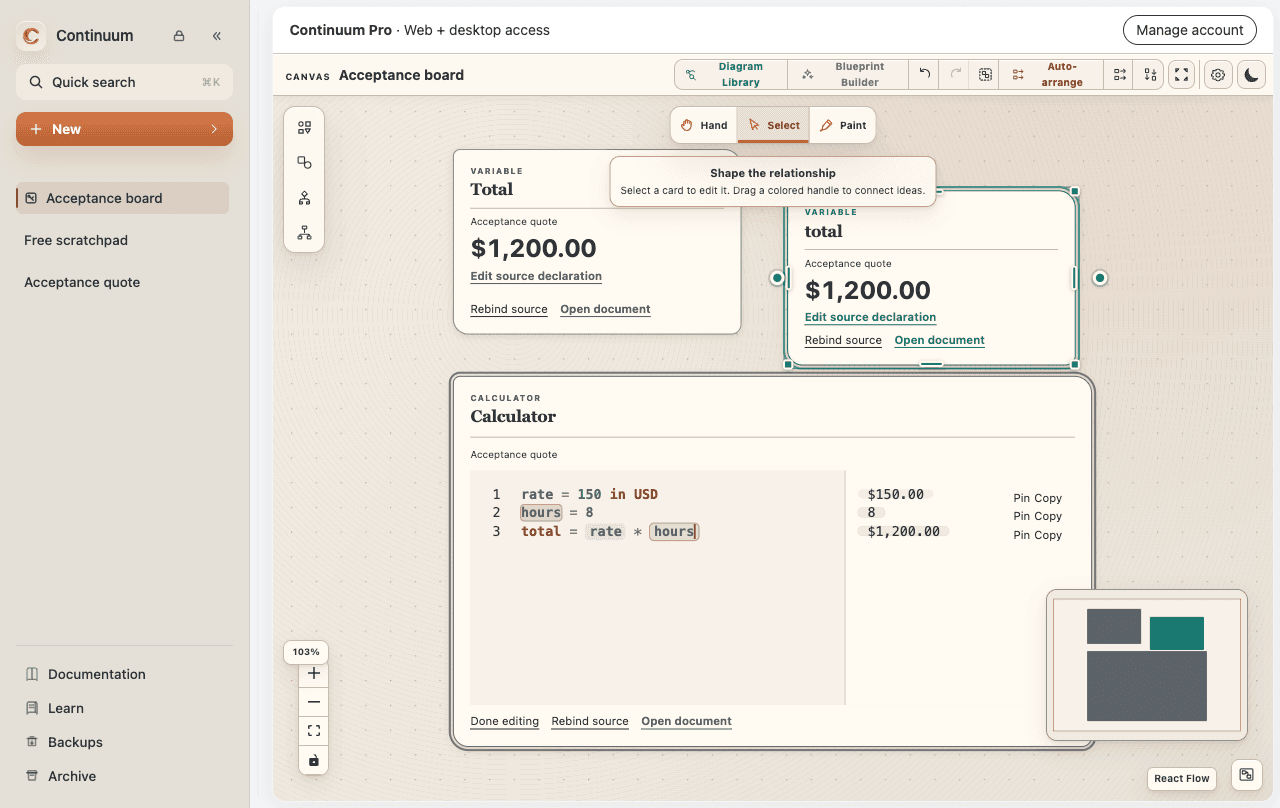
Map an architecture, trace a decision, or keep several logical models beside the calculations that shaped them. Continuum now treats visual thinking as durable workspace material.

01

Build native canvases

Connect notes, technical shapes, groups, Mermaid diagrams, and constrained Branchpoint decisions. Undo and redo from the keyboard, then zoom to a 10% overview when the board grows.

02

Explore Mermaid as a collection

Search persistent graphs, begin from five logical-model templates, edit canonical source beside the preview, and keep syntax errors recoverable.

03

Let tools propose, not decide

The macOS, Windows, and Linux apps expose provider-free local MCP tools for documents, Canvas, Blueprint, and Mermaid. Reads and validation are immediate; proposed writes expire unless you approve them in Continuum.

Pro unlocks Canvas, Branchpoint, Blueprint and Composer on web and desktop. Pocket Scribe, Companion and local MCP are desktop-only. Free keeps one editable scratchpad and read-only examples.

A new job for your AI client

Ask for a clearer board.
Keep the final say.

Give an MCP-connected assistant the audience and intent. It can read a Canvas, propose a reading order, and add lightweight structure—without replacing the work already there.

Canvas layout proposalReview required
BeforeScattered working board
AssumptionRiskDecisionEvidenceNext step
AfterReadable decision path
ContextAssumptionEvidenceDecisionDecisionRiskNext stepNext step
AI proposalMoves 5 items · adds 3 labels“Read left to right: context, decision, consequence.”

AI-assisted layout proposals

Information architecture, not autonomous editing.

The assistant returns the existing item IDs it would move, their proposed positions, and any new lines, labels, frames, or local images. Continuum shows the rationale and a preview before anything changes.

  1. 01
    Read the board

    Use the local MCP to inspect the Canvas and its relationships.

  2. 02
    Propose a reading order

    Give the intended audience: a new teammate, a client, or a decision-maker.

  3. 03
    Review, then apply

    Existing content and connections stay intact. Nothing moves without your approval.

Try asking an AI client“Organize this Canvas for a new engineer. Keep the decision path left to right, group supporting evidence, and label each section.”

Available through the local MCP server in a running Continuum desktop app. Proposals are temporary, expire after 30 minutes, and require an in-app approval.

Continuum Companion · macOS + Windows + Linux

A thought arrives.
Pocket Scribe is already there.

Click the companion for a focused multiline calculation, keep a local stack of drafts, then expand the same work into the complete Continuum workspace.

Quick thoughtLive resultFull workspace

Available for Apple Silicon macOS, x64 Windows, and Debian/Ubuntu Linux on x64 or ARM64. The Linux ARM64 package is tested on Ubuntu 24.04 in UTM and keeps Pocket Scribe pinned at the top right.

Quick Calculation⌘ ↵ expand
project_fee = 640 per day for 12 days
discounted = 10% off project_fee
$7,680.00$6,912.00
CalculationsNew draft

Nine production starters

Start from a question,
not an empty grid.

Each starter is an ordinary editable Continuum document with a purpose-built preview. Templates and custom MCP compositions draw from the same shared preview components; the source remains yours throughout.

01Resilience

Emergency Fund

Size a buffer around the life you actually live.

02Investing

Investment Growth

See nominal growth beside real purchasing power.

03Long-term

FIRE Calculator

Project when continued saving reaches your target.

04Long-term

Coast FIRE

Find when existing investments can carry the rest.

05Housing

Mortgage Repayments

Explore repayment, interest, and affordability.

06Work

Real Hourly Rate

Turn the hidden cost of work into one honest number.

07Independent work

Contracting Hourly Rate

Price time around costs, downtime, and goals.

08Business

Runway

Stress-test cash, burn, and income offsets.

09Business

LTV / CAC

Make customer economics visible and editable.

FREE & CONTINUUM PRO

Start with a scratchpad.
Make room for the whole idea.

Everyday calculations are yours, free forever. One Pro purchase unlocks the full workspace on the web and desktop.

Free · no accountYour everyday scratchpad

Arithmetic, percentages, local variables, units and conversions in one editable document. Read-only examples give you a glimpse of Pro.

Open Free →
Pro · web + desktopYour complete workspace

Multiple documents, folders and shared variables. Shipped templates, Canvas, Branchpoint, Blueprint and Composer. Desktop adds Pocket Scribe, Companion and local MCP.

All existing work stays readable and exportable, including complete backups. Pro unlocks full authoring and backup restore. Documents stay locally on each device.

Founding price
US$59one time
Suggested from your broad region. Choose any supported currency. Stripe may also offer a converted currency at checkout; review the final total before paying.

Applicable tax is calculated at checkout. Standard price: US$69.

  • One license for web + three desktop activations
  • 90 days offline after desktop validation
  • Desktop 1.x updates included
  • 14-day self-service full refund
Explore Pro & your account

Purchases are not open yet. Free calculations are available now.

See trial availability · No card, no automatic charge. Starts only when you choose, after verifying your email.

The 30-day founding offer begins at verified payment launch. Its end date will be published here. Existing reservations are honored when you sign in with the verified reservation email.

Purchased Pro web capabilities remain available while the service operates. Cloud sync, hosted AI credits and future separately priced services are excluded. Purchase terms

A few things worth knowing

What happens after my trial ends?

Your trial lasts 14 days from its explicit start. Reinstalling or changing devices does not restart it. Your existing documents remain available to read and export, and one Free scratchpad stays editable.

Can I use the same purchase on web and desktop?

Yes. Sign in with the same verified email. Pro includes three desktop activations, which you can manage in your account. Browser access does not use a desktop slot. An offline desktop remains licensed for up to 90 days after validation; trial access always ends with the trial.

Does signing in recover or synchronize my documents?

It recovers your purchase and access. Documents stay in each browser or desktop app. Use complete backups to move or recover work; Pro is required to restore a backup.

How do receipts and refunds work?

Checkout is hosted by Stripe Managed Payments, with Link order management for billing details, receipts and invoices. Confirm a full refund in your account within 14 days. Pro ends once Stripe confirms the full refund. Link’s refund policy and your statutory rights may provide additional remedies.

Is Pro for personal or business use?

Both. Choose your intended use before checkout so the right software tax category applies. The price and Pro features are the same. Each license is for one person; the three desktop slots are for that person’s devices.

Local-first by design

Your model is not content for someone else’s cloud.

No account

Open the workspace and begin. There is no sign-up wall.

Local documents

Calculations, folders, settings, and quick drafts stay in the current app data store.

Explicit movement

Browser and desktop data stay separate. Backup and restore only when you choose.

Honest boundary

Analytics and submitted feedback are documented separately from calculation data.

A few honest answers

Before you begin.

Is Continuum a spreadsheet replacement?

Not for every table. Continuum is for the moment when you want to write an assumption, connect it to another, and understand the consequence without building a grid first.

Where are my calculations stored?

Documents and settings stay in the current browser or desktop app data store. Your account recovers your purchase, not your files. Cloud synchronization is not included; export complete backups to keep your own copies.

Does the live demo save anything?

No. The embedded demo evaluates what you type inside that page and does not create a Continuum document or write to workspace storage.

Can an AI tool work with my canvases?

Yes, with Pro access in the packaged macOS, Windows, and Linux apps. Continuum’s local stdio MCP server can inspect canvases, validate Blueprint or Mermaid source, and stage proposed graph or layout changes. Every write remains temporary until you explicitly approve it inside Continuum.

Can I download Pocket Scribe?

Yes. Continuum version 1.1.0 is available for Apple Silicon macOS, x64 Windows, and 64-bit Debian or Ubuntu Linux on x64 and ARM64. The macOS app is signed and notarized. The Windows installer is not code-signed yet; the Linux packages are unsigned.

The next thought is yours

Give the numbers
somewhere to answer.

Start with one assumption. Continuum will keep up.