One useful example
See one assumption
change the answer.
What happens to a project budget when the scope changes? Begin with a few readable assumptions, then give the answer more context.
01 / Calculate · Free
Write what you know.
A daily fee, a duration, and expenses. Name the assumptions so you can see how they relate.
Illustrative calculation USD
daily_fee = 640
project_days = 12
project_fee = daily_fee * project_days
expenses = 1800
remaining = project_fee - expenses
Synthetic example · Not your workspace · Taxes and other costs excluded.
02 / Test an assumption
What if it takes longer?
Change the duration from 12 to 15 days. The daily fee and expenses stay the same.
- Project fee
- $7,680
- After expenses
- $5,880
At 12 days, the project leaves $5,880 after expenses.
Try a fuller project estimate →03 / Explain · Pro
Make the result readable.
Turn the calculation into a composed summary. Keep the source editable, so the explanation stays tied to the numbers.
See how Canvas works ↗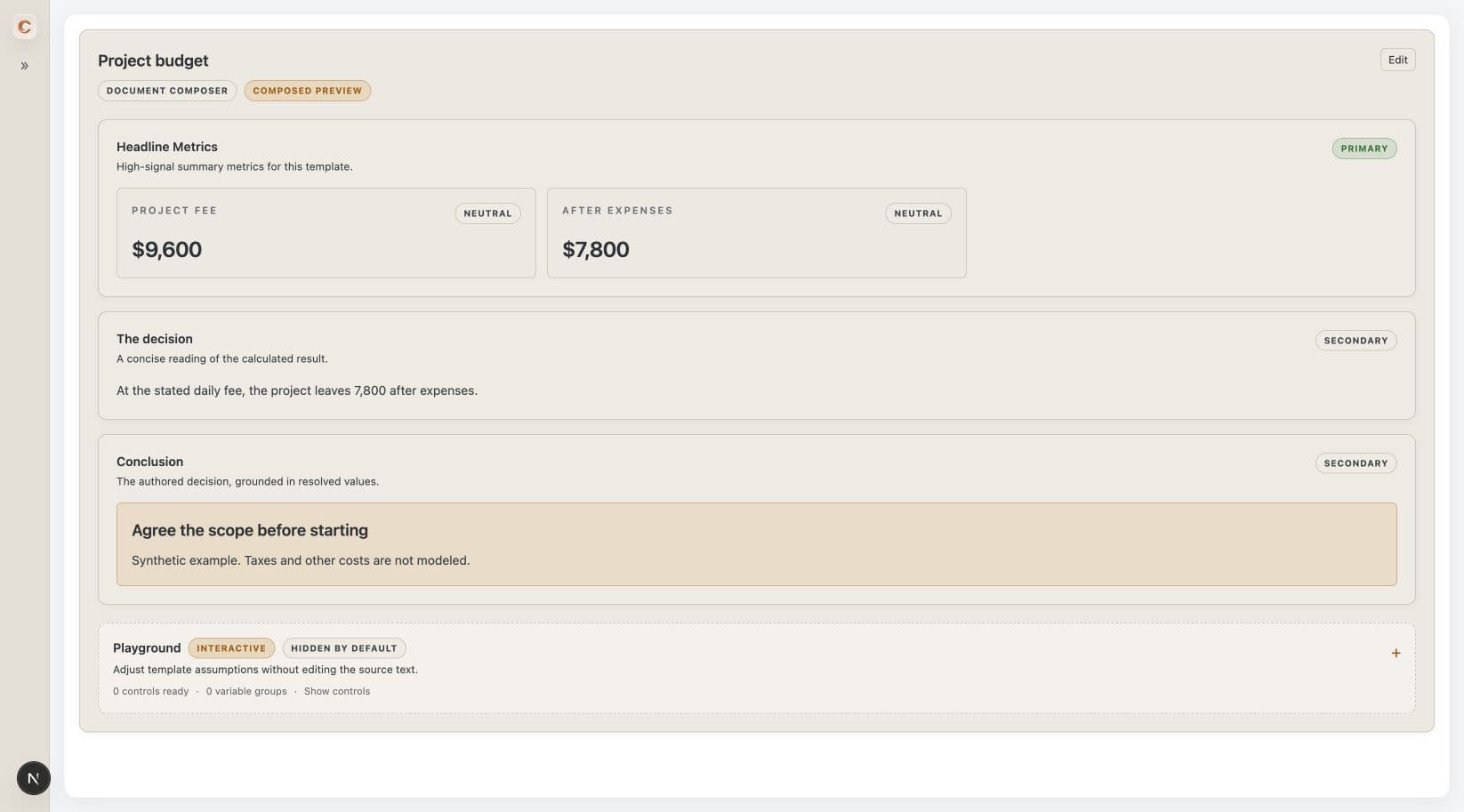 Captured 15-day example · Pro on web and desktop · Taxes and other costs excluded.
05 / Review · Pro desktop
Let AI propose.
Keep the final say.
Desktop local MCP can stage a change for review. Nothing is applied until you approve it inside Continuum.
Read the desktop MCP guide ↗Stage → Review → Approve How the approval step works
- 01
Stage a proposal
The client sends a proposed change, not a silent edit.
- 02
Review the change
Inspect the source diff and preview inside the app.
- 03
Approve in Continuum
You decide whether to apply the proposal.
06 / Choose your starting point
Start small.
Leave room to grow.
Free · No accountOne useful calculation.
One editable scratchpad for arithmetic, percentages, local variables, units, and conversions. Free basics never expire.
Pocket Scribe and Quick Calculation with saved drafts are also free in the desktop apps.
Start with free calculations ↗Pro · Web + desktopA whole workspace.
Multiple documents, shared variables, shipped templates, composed previews, Canvas, and local MCP on desktop.
One purchase covers web and three desktop activations. A 14-day, no-card trial starts only when you explicitly activate it with a verified email.
See Pro & pricing →Already purchased? Your account → Documents stay on each device; account recovery restores your purchase, not your documents. Export backups regularly. Read the product guide ↗
